APSGO LOGO
Combination
x1
Total Price:
View Cart
No APPS available
件
Cart
Home Overview VMPal Mac 虚拟机工具软件
VMPal Mac 虚拟机工具软件
-34% OFF!
VMPal Mac 虚拟机工具软件截图 VMPal Mac 虚拟机工具软件截图 VMPal Mac 虚拟机工具软件截图
上一个 下一个
Download
VMPal Mac 虚拟机工具软件 Canada
VMPal 是专为 Apple Silicon Mac 打造的轻量虚拟机,流畅运行 macOS、Windows 与 Linux,支持 GPU 加速与 AI Agent 独立环境,一键集成 Claude Code 等工具,让开发自动化无需权限弹窗。
Edition:
Team Individuals
* Purchase this specification to receive the following gifts : ( Buy 1 or more items and the offer is valid until stock lasts )
Note: In seckill, once sold out, the original price will be restored!
Hurry! Limited-time offer ends soon!
Currently available last items
Preview of seckill, event price: CNY
The inventory available for seckill is items
Retail Price
Specifications
Not Selected
Group Buying
There is currently no Group Buying available, please open a group
{{ item.spec_desc }}
{{ item.user.nickname }} In {{ item.created_at }} Start Still need {{ item.left_count }}x Pending Group Buying, some users have not paid
Join

Activity Rules

1、Activity time:{{ info.groupon.start_at }} ~ {{ info.groupon.end_at }}。

1、Activity time:cease when sold out。

2、Validity period of the Group Buying:{{ info.groupon.expire_days * 24 }} hours。

3、Number of Group Buying:{{ info.groupon.need_count }}x。

Please Pay Attention

1、Teamwork process: Join/initiate a Group Buying and make a successful payment - Within the validity period, the number of team members meets the activity requirements - Group Buying succeeded!

2、If the number of participants cannot be met within the valid period, the group will fail, and the paid amount will be refunded in the original way.

3、The number of people required and the time of the event may vary among different products. Please pay attention to the rules of the event.

{{ item }} ({{ app.qa.questionsData.total }})

Virtual Machines 专为苹果公司的硅处理器和人工智能代理设计。


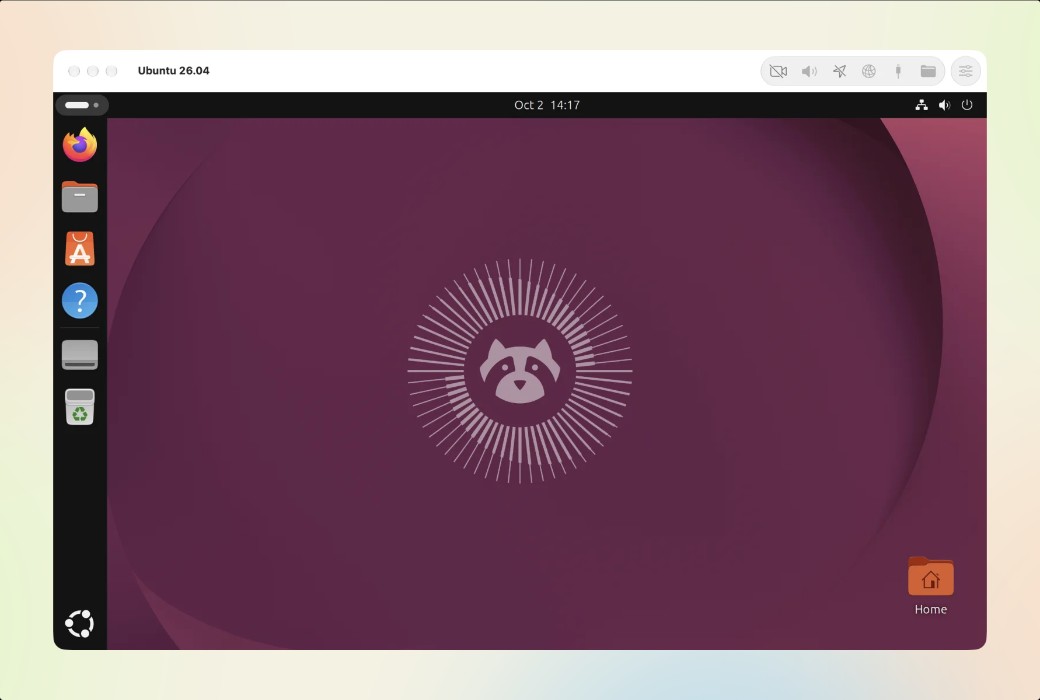
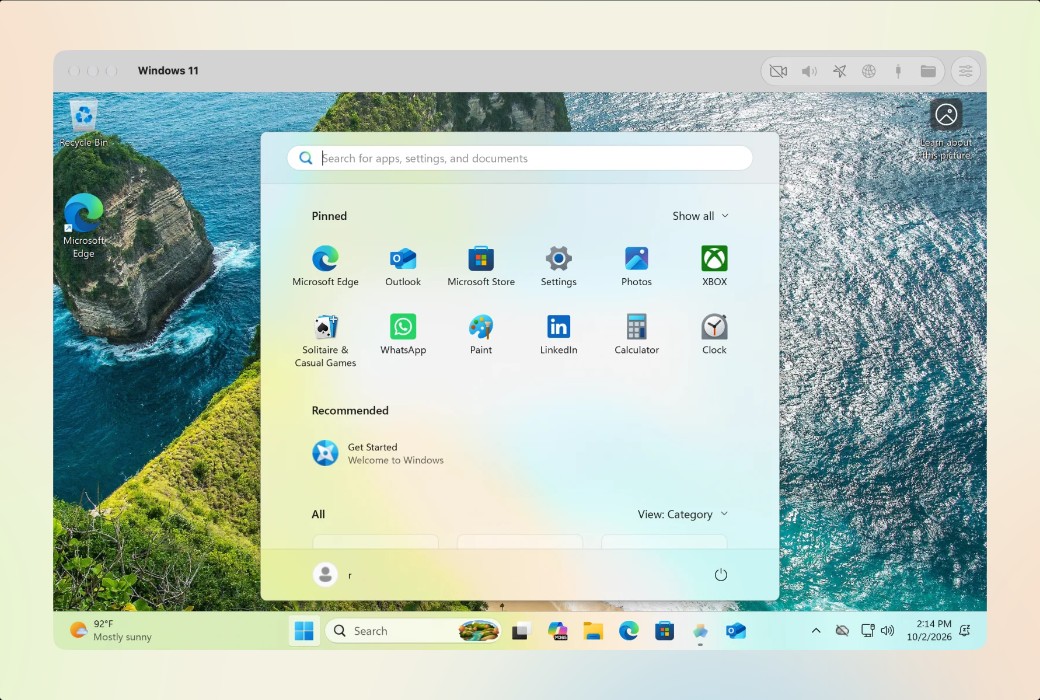
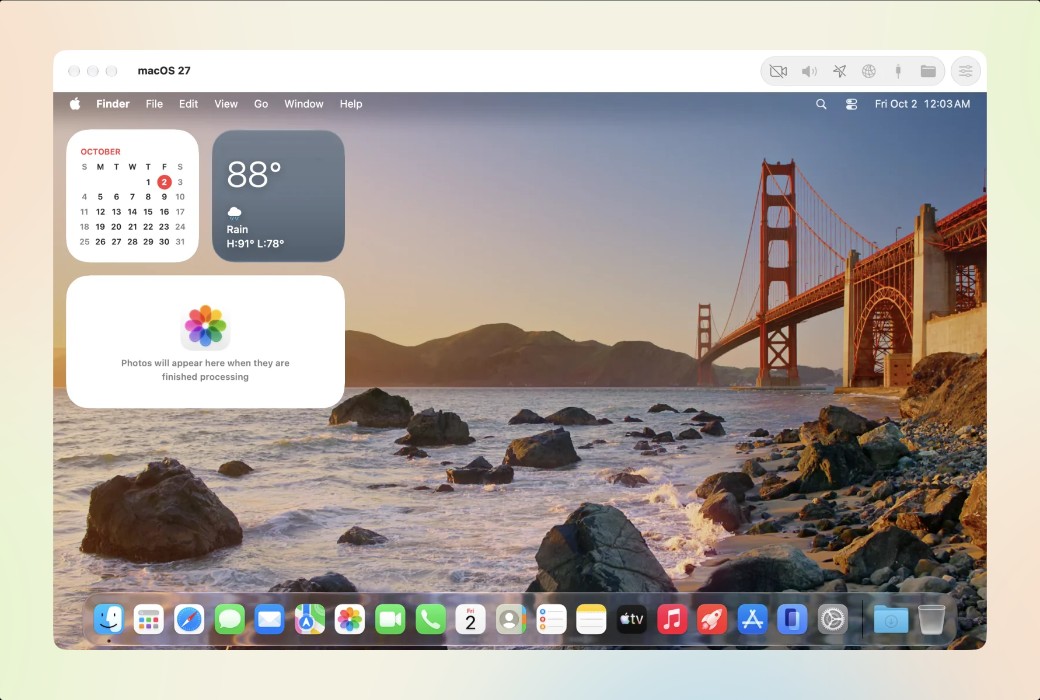
macOS × Windows × Linux,支持 GPU 加速。


  1. macOS:直接来自苹果,几分钟就能安装,在你 Mac 的 GPU 上使用 Metal。VMPal 工具增加了剪贴板和拖放功能。在 macOS 27 上,设置无需点击。
  2. Windows 11:VMPal 自己的引擎,为你安装好。支持 Retina 高达 5K,TPM 2.0,USB 设备,以及在你 Mac 的 GPU 上的 Direct3D 11 和 OpenGL 4.1。
  3. Ubuntu 和 Fedora:几分钟内为你安装好。在你 Mac 的 GPU 上支持 OpenGL 4.1,为 Intel 程序提供 Rosetta,并支持嵌套虚拟化。


功能特点


  1. 轻量级:虚拟机的磁盘大小取决于其中的内容。它可以以一个文件的形式移动到另一台 Mac,克隆只会随着变化占用空间。
  2. 在每个系统上都很快:macOS 和 Linux 运行在苹果的虚拟化框架上,Windows 则运行在 VMPal 自家的引擎上。每个系统都能利用你的 Mac 的 GPU。
  3. 精美设计:我们注重细节。VMPal 中的每一个像素都完美对齐,让你在 macOS 上有家的感觉。
  4. 在 Retina 屏幕上清晰:显示会随窗口缩放,在你的 Mac 尺寸下,最高支持 5K。
  5. 为你安装好:选择 macOS、Windows 11、Ubuntu、Fedora、CentOS Stream、Pop!_OS 或 Kali Linux,最新版本或旧版本,或者你已有的 IPSW 或 ISO。VMPal 会下载并在虚拟机窗口中安装,同时带上你的账户和 VMPal 工具。安装完成前会有一个覆盖层防止误点。
  6. 共享一切:剪贴板可以双向共享文件,每台虚拟机都支持拖放进出,还能访问 Finder、资源管理器和文件中的 Mac 文件夹。
  7. 快照:随时保存虚拟机状态,无论是否在运行,都可以几秒钟内回滚。每个快照只占用虚拟机变化的空间。
  8. 端口转发:通过 Mac 上的端口访问任何虚拟机里的 Web 服务器或 SSH。
  9. 实时设置:运行虚拟机时可以更改名称、磁盘、共享文件夹和网络。
  10. 每个虚拟机的声音和麦克风:每个虚拟机只能使用你允许的内容,麦克风使用时会亮起绿灯。
  11. Dock 中的独立应用:每个虚拟机都作为独立应用运行,有自己的 Dock 图标。崩溃只会影响该虚拟机。
  12. 从 Parallels 导入:几步操作即可将你的 Parallels 虚拟机导入。


给你的 AI 代理它自己的一台电脑。


VMPal Mac 虚拟机工具软件 LOGO

官方网站:https://vmpal.com/

下载中心:https://vmpal.apsgo.cn

发货时间:人工在线处理

运行平台:macOS

界面语言:支持英文文界面显示。

更新说明:一年的更新和支持服务。

买前试用:购前可免费试用。

如何收货:购买后,激活信息会以邮件的形式发送到下单时的邮箱,同时可在个人中心,我的订单中查看对应的产品激活码。

设备数量:根据购买的版本而定。

更换电脑:原电脑卸载,新电脑激活。

激活引导:待添加。

特殊说明:团队版3席位起购。

参考资料:https://vmpal.com/

Any question

Submit
Ask a question
All Default Newest